 Anchorly
A shared dementia care log for the whole family
Anchorly is a shared dementia care log: whoever is with Mom writes down how the day went, which doses were given, the good moments and the hard ones, and every helper sees the same log on their phone or in a browser. No account, no email.
 Scan to open this page on your phone.
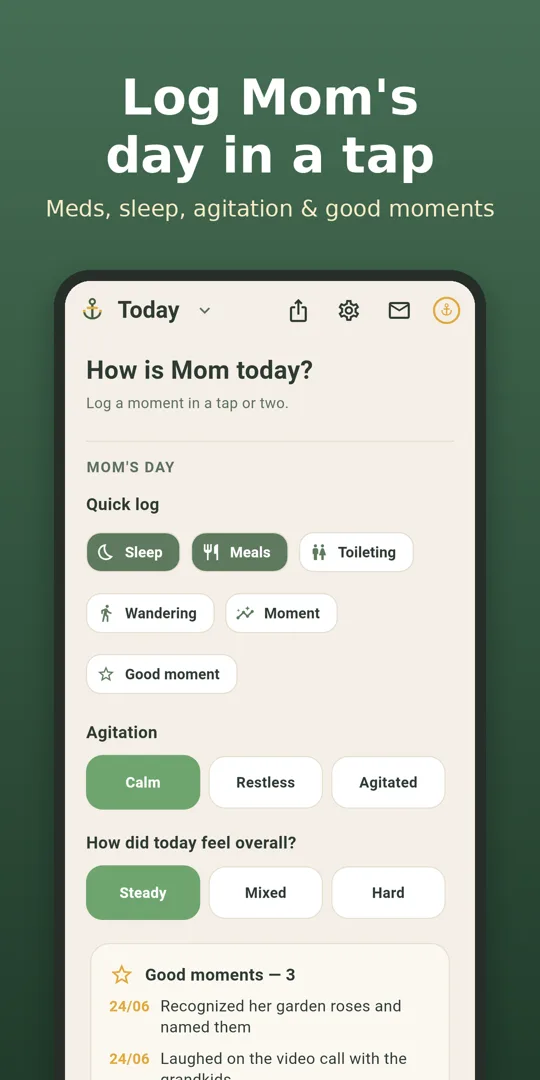
What the shared care log keeps
Today, in a tap
Sleep, meals, toileting, wandering, how agitated things were and how the day felt. Two people logging the same day write one entry.
Doses given
Every medication with a "mark given" tick for today, so nobody doubles a dose or wonders whether the evening one went in.
Hard moments and good ones
A hard moment as trigger, behavior and what helped; a good moment in one line. Everyone reads all of it, newest first.
Open the family log in a browser
Not every helper wants another app. A brother, a neighbour or a weekend sitter can open the same log on a laptop or any phone's browser:
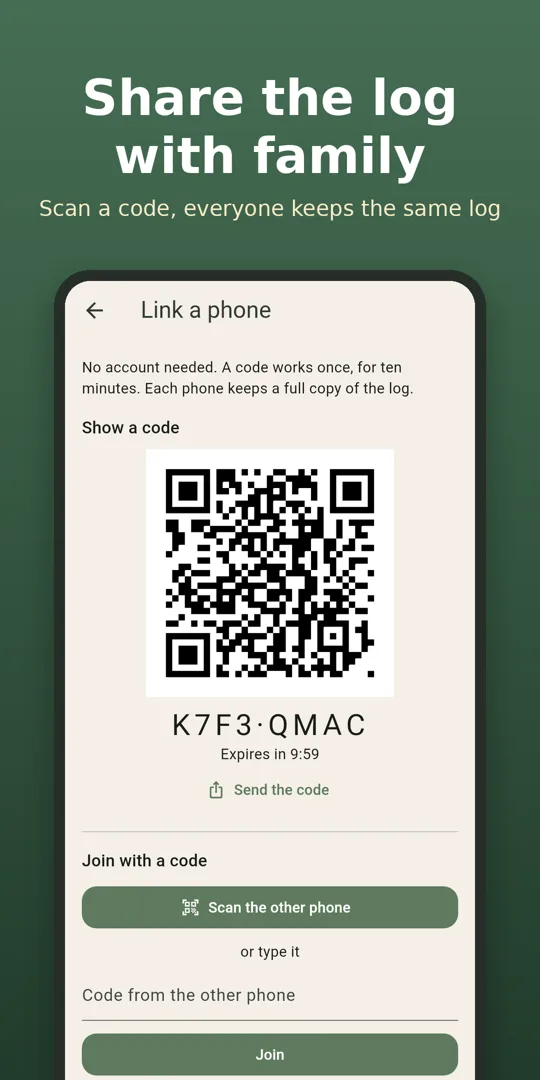
- On the phone that keeps the log: Settings → Share with family → Show a code.
- On the other device, open anchorly.adelyons.com/app and type the code (or open the link the phone sends).
- The browser joins the same log. Changes travel both ways every 30 seconds.
A code works once and for ten minutes. The life story and calm card are readable in the browser and edited on a phone.
Private by design
There is no account. Each phone and browser keeps a full copy of the log; changes travel encrypted through the Adelyons sync server so the others can fetch them. Each caregiver's own check-in and photos never leave their phone. The phone that started sharing can delete the shared copy at any time, and an unused copy is deleted after 180 days. Privacy policy.
Keep it on your phone
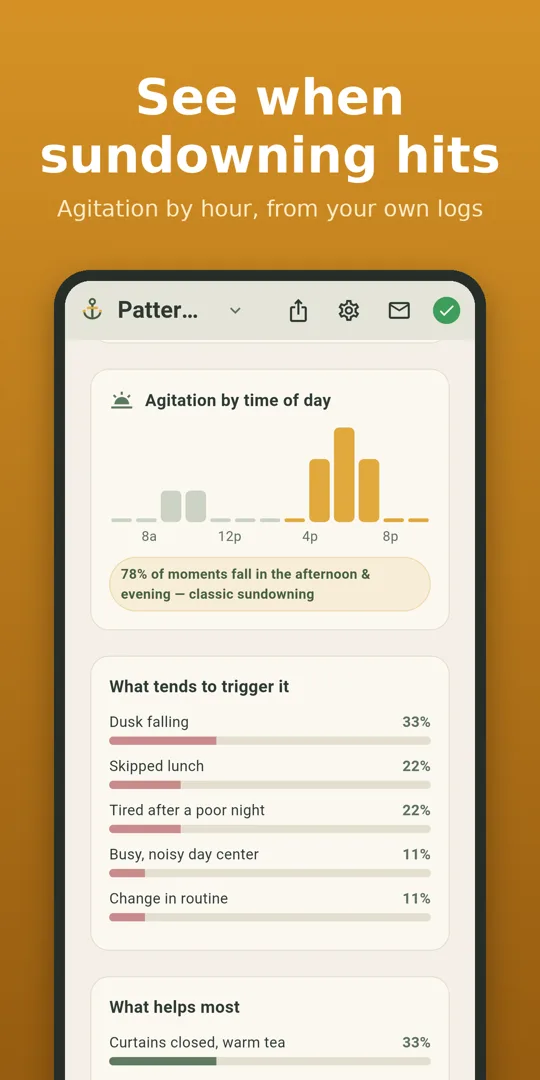
Anchorly on a phone works offline and adds daily medication reminders, a check-in for you, the caregiver, a monthly dementia stages checklist, a caregiver burnout check-in, and photos in the life story. With Anchorly+, the sundowning tracker shows agitation by hour and what helps most, from your own logs.
Guides for family caregivers
Questions
How does a second caregiver join the family's log?
On the phone that already keeps the log, open Settings, then Share with family, then Show a code. The other helper scans it with their own phone, or types the same code at anchorly.adelyons.com/app in any browser. A code works once and for ten minutes.
Do we need accounts or email addresses?
No. Phones and browsers join with a one-time code. There is no sign-up, no email and no password.
What can I do in the browser?
See and fill in today's log (sleep, meals, toileting, wandering, agitation and how the day felt), add good moments, mark medications given, log a hard moment as trigger, behavior and what helped, and read every logged moment, the life story and the calm card.
What stays private to each phone?
Each caregiver's own wellbeing check-in, the caregiver strain and stage check-ins, and photos never leave the phone they were made on. Only the log about the person you care for is shared.
Where is the shared log stored?
Each phone and browser keeps a full copy. Changes travel encrypted through the Adelyons sync server so the others can fetch them. The phone that started sharing can delete the shared copy, and a copy nobody has used for 180 days is deleted automatically.
Is Anchorly free?
The daily log, medications and reminders, the hard-moment log, the life story, sharing with family and the web log are free. Anchorly+ on the phone adds sundowning insights, a weekly recap and a care snapshot PDF.
Is this medical advice?
No. Anchorly organizes and shares what caregivers write down. It does not diagnose, predict or treat anything. Talk to a qualified healthcare professional about symptoms, medications and care decisions.